
DK999 Real or Fake? 9 Checks Before You Trust a Website or APK
Searching for DK999 brings up many websites, APK files and social media pages that look alike. Some are informational guides, some are copies, and some exist only to collect passwords or payments. A logo or the word “official” proves nothing. This guide gives you nine practical checks to run before you download a file, sign in or send money — and explains what to do if you think you have already used a fake page.
Why Fake DK999 Pages and APK Files Exist
Popular apps attract copycats. A fake page can look almost identical to the real one while changing the details that matter: the download file, the login form or the payment number. The aim is usually one of these:
- Stealing login details through a copied sign-in form.
- Redirecting deposits to a wallet number controlled by someone else.
- Spreading modified APK files that request unnecessary permissions or show unwanted ads.
The checks below need no technical skills. They take a few minutes and catch most problems.
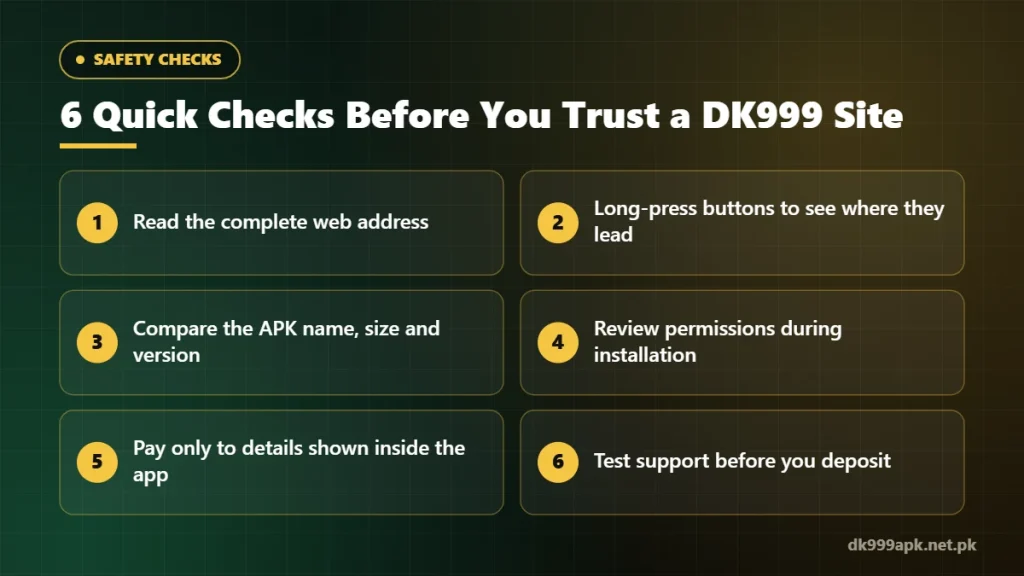
The 9 Checks
1. Read the complete web address
Look at the full address in the browser bar, not just the page design. Watch for extra letters, swapped characters, unusual endings or long subdomains. Bookmark the address you trust and open it from the bookmark instead of searching every time.
2. Check where the buttons really go
On a phone, long-press the Download or Login button to preview the link before opening it. If a page about one brand quietly sends you to an unrelated domain, stop and think twice.
3. Compare the APK file name, size and version
Before installing, look at the file name and size in your downloads folder. If the file is very different from what the page describes, or the name changes every time you download it, do not install it. The DK999 download guide explains what to compare.
4. Review the permissions during installation
A gaming app may need internet access and notifications. Be careful if it asks for your contacts, SMS, call logs or accessibility services — these are rarely needed and can be misused.
5. Keep Google Play Protect switched on
Play Protect scans apps installed from outside the Play Store. If it warns you about a file, take the warning seriously instead of switching protection off. If installation fails for other reasons, see DK999 APK not installing.
6. Match payment details inside the app
Send money only to the wallet or account number shown inside your logged-in account at the moment you deposit. Never use a number sent on WhatsApp, Telegram or by a caller, even if the sender uses the DK999 name. More on this in the DK999 deposit guide.
7. Be suspicious of guaranteed earnings
Messages promising “fixed daily income”, “100% winning tricks” or prediction tools are a strong warning sign. Real-money games have uncertain results, and no genuine platform can guarantee a profit.
8. Read the policies and contact options
Look for a privacy policy, terms and a working support option. These do not prove a site is genuine on their own, but missing or obviously copied policies are a red flag.
9. Test support before you need it
Send a simple question through in-app support before depositing. A real support channel answers without asking for your password, OTP or wallet PIN.
What an HTTPS Padlock Does — and Does Not — Prove
The padlock means the connection between your browser and the website is encrypted. That is useful, but anyone can get a certificate for a fake domain within minutes. HTTPS does not prove that a site is licensed, fair or connected to the real operator.
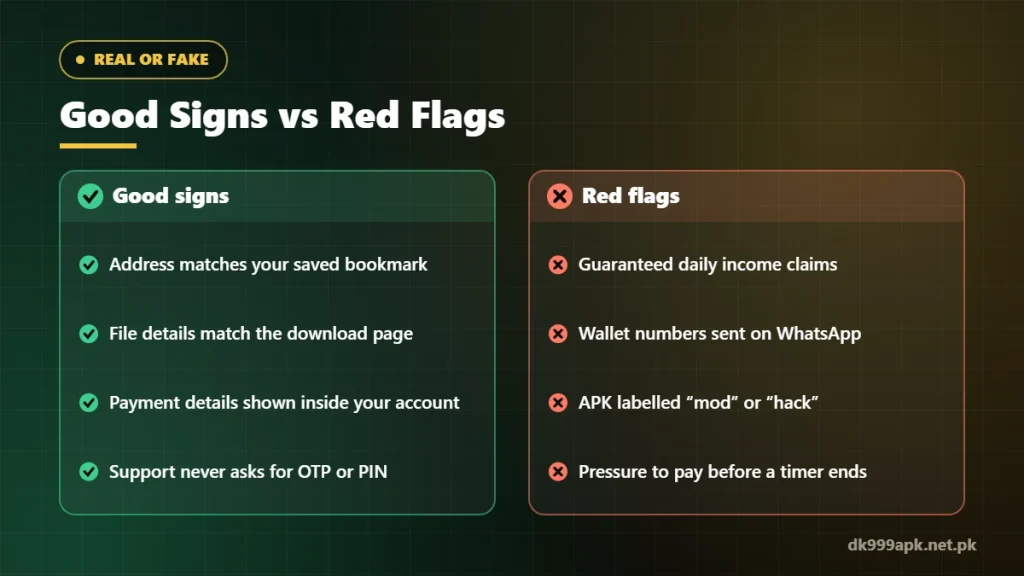
Real or Fake: Quick Comparison
| Sign | Usually genuine | Warning sign |
|---|---|---|
| Web address | The address you bookmarked, spelled correctly | Extra letters, odd endings or a new address every week |
| Download file | Name, size and version match the page | File changes without explanation or is labelled “mod” |
| Payment details | Shown inside your logged-in account | Sent privately on WhatsApp or by a caller |
| Support | Answers without asking for secrets | Asks for your OTP, password or wallet PIN |
| Promises | Explains risks and rules | Guarantees income or “sure wins” |
If You Think You Used a Fake Site
- Change your password on the genuine app straight away — see how to reset a DK999 password.
- Change your wallet PIN (JazzCash, Easypaisa or bank) if you typed it anywhere outside the official wallet app.
- Contact your wallet provider quickly if money went to an unknown number — the sooner you report, the better the chance of help.
- Remove the suspicious APK from your phone and run a Play Protect scan.
- Report the page to your browser or to the platform where you found it.
Frequently Asked Questions
Is DK999APK.net.pk the official DK999 website?
No. DK999APK.net.pk is an independent informational guide. We are not the DK999 operator and do not handle deposits or withdrawals. See our about page for details.
Is an APK from a Telegram group safe?
Files shared in groups can be modified. Download only from a source you have checked, and compare the file details before installing.
Can a fake site take my balance?
If someone gets your login details, OTP or withdrawal password, they may be able to access your account. That is why these should never be entered on a page you have not checked.
Do good reviews mean a site is real?
Not necessarily. Reviews and payment screenshots can be copied or invented. Rely on the checks above instead.
Related DK999 Guides
- DK999 APK download for Android
- DK999 forgot password: reset and recover your account
- DK999 deposit guide
- DK999 Game Login
Note: DK999APK.net.pk is an independent guide, not the official DK999 operator. Real-money gaming is for adults 18+ and carries financial risk — play only with money you can afford to lose. Read our disclaimer.
One Comment