
DK999 Withdrawal – Cash-Out Steps & Problem Fixes
A DK999 withdrawal starts inside the wallet or cashier of your existing account. Before submitting the request, check the available cash balance, current payout method, account details, minimum amount and any unfinished bonus conditions shown on screen. The most expensive mistakes are usually simple ones: one wrong digit in a JazzCash or Easypaisa number, selecting a payment account that belongs to someone else, or repeatedly cancelling and resubmitting a pending request. Read every field before tapping Confirm.
What to Check Before Withdrawing from DK999
Open the wallet and confirm that the amount is shown as withdrawable cash, not only as bonus credit, promotional balance or unsettled winnings. These balances can look similar while following different rules. Before making a request, check:
- You are logged in to the correct account
- The available balance covers the requested amount
- The amount is within the current minimum and maximum limits
- The selected withdrawal method is active in the cashier
- The wallet or bank details are entered correctly
- The receiver name or number meets any matching rule displayed
- Required identity or account verification is complete
- No bonus turnover or eligible-game condition remains unfinished
- You know the current withdrawal password or security PIN, if requested
- No earlier cash-out request is already pending
Do not rely on limits or processing times from an old screenshot. Payment channels and account requirements can change. The details displayed inside the current cashier should guide the transaction.
How to Withdraw Money from DK999
The exact button names may vary after an update, but a normal cash-out request follows these steps.
Step 1: Log In and Check the Account
Open the current DK999 app or verified website and sign in. Confirm the username, phone-number ending or user ID before opening the wallet. This matters on phones where more than one person has used the app. If access is blocked, solve it through the DK999 login page instead of opening another account.
Step 2: Open Withdraw or Cash Out
Go to Wallet, Cashier, Account or a similarly named section, then select Withdraw. Use only the route inside your account. A person contacting you on WhatsApp or Telegram cannot complete a legitimate payout by asking for your password or OTP.
Step 3: Select an Available Withdrawal Method
Choose a method currently shown on the screen. Pakistani users may see local wallet or banking options, but availability can differ by account and change over time. Do not choose a method merely because it was used for an earlier deposit.
Step 4: Add or Confirm Payment Details
Enter the receiving number, account title, bank details or other information requested. Read each digit twice. Where the platform requires the withdrawal account to match the registered or depositing account, use details you own and control.
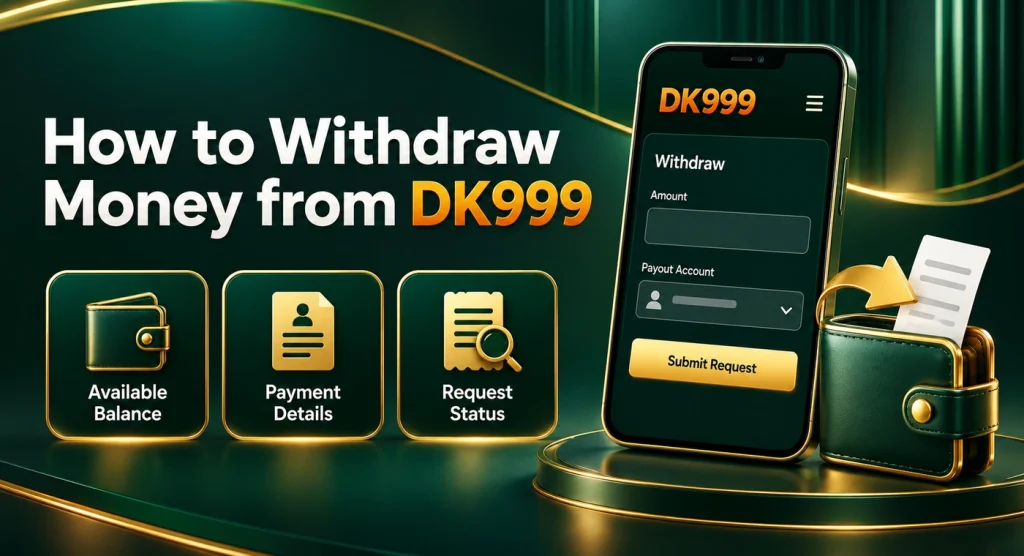
Step 5: Enter the Withdrawal Amount
Use an amount within the limits displayed for that payment method. Leave enough balance for any condition or charge shown by the cashier. Do not split one request into several smaller ones unless the current rules permit multiple withdrawals.
Step 6: Enter the Security Password or Code
The screen may request a withdrawal password, account password, OTP or security PIN. Enter it privately and only inside the verified platform. This is not necessarily the same as the login password.
Step 7: Review and Submit Once
Check the amount, recipient and method on the confirmation screen. Submit the request once, then save the order number or take a screenshot of the status. Repeated taps do not make processing faster.
Step 8: Follow the Status in Withdrawal History
Open the transaction record rather than starting another request. It may show pending, processing, approved, completed, rejected, cancelled or another status. Keep the record until the money is visible in the receiving account.
Possible DK999 Withdrawal Methods
The current cashier determines what can be used. JazzCash, Easypaisa, bank transfer or other local channels may appear, but no method should be presented as permanently available without checking the live account.
| Possible method | Details to verify | Record to keep |
| JazzCash | Mobile number, account name and ownership requirement | DK999 order number and wallet statement |
| Easypaisa | Receiving number, registered name and active account status | Cash-out record and payment history |
| Bank transfer | Bank name, account title, number or IBAN and branch details if requested | Bank statement and transaction reference |
| Other local method | Limits, fees, verification rules and expected processing period | Full request details and status screenshot |
Use a payout account that can receive the requested amount from your Android. A blocked, inactive or limit-restricted wallet can delay the final credit even after DK999 marks a request as completed.
DK999 Withdrawal Through JazzCash
If JazzCash appears in the withdrawal menu, enter the active number you want to receive the payment on. Check its account title and make sure the wallet has not reached a receiving or monthly limit. Some platforms require the wallet number or account name to match the DK999 profile or the source used for deposits. Follow the rule displayed on your screen. Using a friend’s number without checking can lead to rejection or an ownership review. After submitting, keep the request ID. When the status changes to completed, check the JazzCash transaction history and SMS records rather than relying only on the main balance screen.
DK999 Withdrawal Through Easypaisa
Choose Easypaisa only if it is available in the current cashier. Enter the receiving number carefully and review the account name, where shown, before confirming. If the request is completed but the money is missing, check whether the Easypaisa account is active and able to receive funds. Search the transaction history for the relevant date and amount. Balance notifications can arrive late, while the account statement provides a clearer record. Do not share an Easypaisa PIN or OTP with DK999 support or anyone offering to trace the transfer. Those credentials control the wallet and are not needed to confirm an incoming payment.
Minimum and Maximum Withdrawal Limits
Check the range shown after selecting the payout method. Different methods can have different minimums, maximums or daily limits. Account status, provider maintenance and verification level may also affect what the cashier allows. If the entered amount is rejected immediately, compare it with:
- The available cash balance
- The minimum request amount
- The per-transaction maximum
- Any daily or account limit displayed
- A required remaining balance or fee
- An existing pending request
Avoid publishing a fixed minimum as permanent. A number that is correct today may be wrong after a cashier update.
Withdrawal Fees and Final Received Amount
Review the confirmation page for any platform or payment-provider charge. The requested amount, approved amount and final amount received may differ when a disclosed fee applies. For example, requesting PKR 2,000 does not prove that exactly PKR 2,000 will arrive if the selected method displays a deduction. Take a screenshot of the fee summary before confirming, especially when the expected received amount is shown separately. Never pay a surprise “release fee,” “tax payment” or “verification deposit” to a personal wallet after submitting a request. If a charge is genuine, it should be explained through the verified platform and its current terms—not introduced through an unknown private message.
How Long Does a DK999 Withdrawal Take?
There is no reliable universal time for every payout. Processing can depend on the method, account verification, request queue, provider maintenance, bonus review and whether the payment details match. Use the estimate shown in the current cashier. Before escalating, confirm that:
- The request was successfully submitted.
- Its status is still pending or processing.
- The displayed review period has passed.
- No verification or correction message is waiting in the account.
- The receiving wallet or bank service is operating normally.
Do not cancel a request only because it is slower than a previous one. Cancellation can return the balance to the account and move a new request to the back of the queue.
Understanding Withdrawal Statuses
The exact wording can differ, but these labels usually indicate where the request stands.
| Status | What it generally means | What to do |
| Pending | The request has been received but not finalized | Wait for the displayed review period |
| Processing | The request or payout is being handled | Keep the order number and avoid resubmitting |
| Approved | The request passed review but the provider may still be processing it | Continue checking the payment account |
| Completed | DK999 records the payout as sent | Check the receiving statement and obtain a reference if missing |
| Rejected | The request failed a rule or information check | Read the reason and correct only the stated issue |
| Cancelled | The request ended before payout | Check whether the amount returned to the cash balance |
A status is useful evidence. Capture it before clearing app data, changing devices or starting a support conversation.
DK999 Withdrawal Pending
A pending request is not automatically failed. It may be waiting for review, provider confirmation or account verification. Open the transaction record and look for a message asking for action. Common reasons include:
- A busy processing queue
- Payment-provider maintenance
- A new or recently changed withdrawal account
- Incomplete identity or account checks
- A bonus or turnover review
- Several requests submitted close together
- Manual review of unusual account activity
Wait for the time shown on the platform. If it passes, send one clear support request with the user ID, withdrawal order number, amount, method, submission time and status screenshot. See DK999 withdrawal pending for a focused checklist.
DK999 Withdrawal Rejected
Read the rejection message before trying again. A new request with the same incorrect information is likely to produce the same result. Possible causes include:
- The amount falls outside the current limits
- Available cash is lower than the requested amount
- Payment details are incomplete or invalid
- The wallet or bank account does not meet an ownership rule
- Account verification is unfinished
- Bonus turnover has not been completed
- A withdrawal password or security code is wrong
- The selected method is unavailable
- More than one account conflicts with platform rules
Correct only what the message identifies. If the reason is unclear, take a screenshot and ask verified support for the specific condition that failed. The withdrawal rejected page contains additional checks.
Withdrawal Completed but Money Not Received
“Completed” normally means the platform has marked the payout as sent, but the receiving wallet or bank may not display it immediately. First, search the account statement by date and amount. Do not depend only on a push notification. Check:
- The recipient number or account shown in the original request
- The complete wallet or bank transaction history
- Whether the receiving account is active and within its limits
- Whether the approved amount differs because of a disclosed fee
- Whether DK999 provides an external transaction or payout reference
If the money is still missing, ask DK999 support for the payout reference and confirmation of the destination. Then contact the wallet or bank with that reference. Keep both conversations factual and use the same amount and date. More help is available at withdrawal completed but not received.
Wrong JazzCash, Easypaisa or Bank Details
Act as soon as you notice the error. If the request is still pending and the interface offers a safe cancellation option, read the result carefully before using it. If no such option exists, contact verified support with the order number. Do not assume a completed transfer can be reversed. Payments sent to a valid but incorrect account may be difficult or impossible to recover. Never contact the unknown recipient with your DK999 password, OTP or personal identity documents.
For future requests, save and verify the receiving account through the platform’s supported account-management screen, if available. Check the final two or three digits again immediately before submission.
Forgot the DK999 Withdrawal Password
The withdrawal password, fund password or security PIN may be separate from the normal login credential. If it is forgotten, use the reset option shown in account security or on the withdrawal screen. A reset may require an OTP, existing security answer or account verification. Follow the current on-screen process. Do not keep guessing, because repeated failures can temporarily block withdrawals. If no reset option appears, contact support from inside the verified account. Ask specifically to recover the withdrawal credential, not the login password. Never send the old password, new password or OTP in a chat. Read DK999 withdrawal password forgotten for step-by-step checks.
OTP Not Received During Withdrawal
When an OTP is required, confirm that the masked number belongs to you. Request one code, wait for the countdown and enter the newest message before it expires. If it does not arrive, check the mobile signal, blocked SMS folder, dual-SIM selection and whether the registered number is still active. Repeatedly requesting codes can invalidate earlier messages and trigger a cooldown. Do not change the receiving account or create another withdrawal while the verification step is unresolved. The DK999 OTP not received page covers the relevant phone checks.
Bonus Balance and Turnover Requirements
A balance can be visible without being immediately withdrawable. Deposit bonuses, referral rewards, cashback and other promotions may have separate turnover, eligible-game, expiry or maximum-withdrawal rules. Before using a promotion, read:
- The qualifying deposit amount and method
- Required wagering or turnover
- Games that do and do not count
- Contribution rates, if displayed
- Maximum bet conditions
- Expiry time
- Maximum cash-out or bonus conversion rule
- What happens if the bonus is cancelled
Do not deposit more money just because a message says additional turnover is needed. First verify that the condition belongs to the accepted offer and appears in the account’s current terms.
Verification Requested Before Withdrawal
Some accounts may be asked to confirm identity, age, payment ownership or unusual activity. A legitimate verification request should be accessible through the verified platform and explain what is required. Before uploading a document:
- Confirm the page address or app source
- Read the privacy notice
- Submit only the requested document
- Do not send files to a personal social-media account
- Hide unrelated information only where the instructions permit
- Keep a record of the request and submission date
Verification is not proof that a payout will be approved; it is one part of the account review. If the request appears excessive or unclear, ask support why the information is needed before sharing it.
Can a Pending Withdrawal Be Cancelled?
That depends on the current status and whether a cancellation button is provided. Cancelling may return the amount to the cash balance, but it does not guarantee that a newly submitted request will be processed sooner. Do not repeatedly cancel and recreate a withdrawal to change the amount or method. This can produce several order numbers and make support investigation harder. If the payment details are wrong, contact support promptly and follow the action available for that exact status.
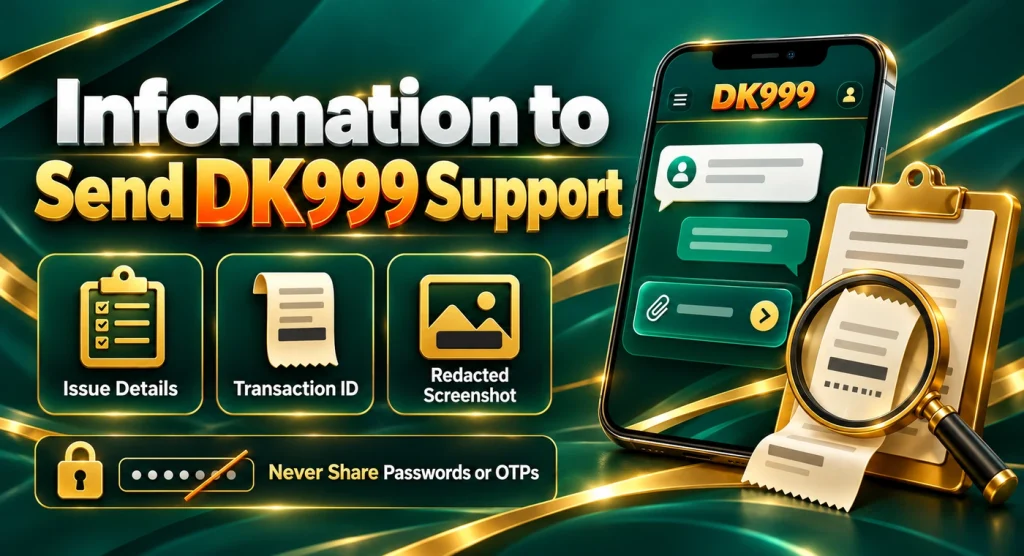
Information to Send DK999 Support
A useful support message is short and complete. Include:
- DK999 user ID or registered phone-number ending
- Withdrawal order number
- Requested amount
- Selected method
- Date and exact time
- Current status
- Screenshot of the withdrawal record
- Receiving account details with sensitive digits masked where possible
- Payment-provider statement if the request is marked completed
Do not send a login password, withdrawal password, wallet PIN or OTP. Support does not need these secrets to trace an order. A clear message might say: “My PKR 2,000 withdrawal requested on 30 August at 2:15 PM is marked completed, but it is not visible in my Easypaisa statement. Order ID: [number]. Please provide the payout reference and confirm the masked destination.”
Withdrawal Security Checks
Scammers often contact users after a public complaint and pretend to be support. They may offer instant payment in exchange for an OTP, screen sharing or another deposit. These requests can give them control of both the game account and mobile wallet. Protect the account by following these habits:
- Use support links inside the verified app or website
- Never disclose login, withdrawal or wallet passwords
- Do not share OTPs or recovery codes
- Avoid installing remote-access or screen-sharing apps for support
- Check the receiving details before every request
- Remove unknown devices from active sessions, if that control exists
- Change the password after unexpected account activity
- Keep withdrawal screenshots and wallet statements private
- Do not pay an individual to “speed up” processing
If a login page or support address looks unfamiliar, check the DK999 website safety page before entering information.
Withdraw Without Chasing Losses
A successful withdrawal should not automatically become the next deposit. Decide in advance what portion, if any, remains part of your entertainment budget. Move essential money away from gaming activity and do not cancel a cash-out simply to continue playing after a loss. If withdrawal requests, deposits or game results are causing stress, stop and use available deposit limits, cooling-off or self-exclusion features. The responsible gaming page explains practical control steps.
DK999 Withdrawal FAQs
Disclaimer: This page provides general withdrawal and troubleshooting information. Payment methods, limits, fees, verification requirements, bonus conditions and processing times may change. Users must be 18 or older and comply with local laws. No withdrawal, bonus, game result or financial return is guaranteed.