
DK999 Forgot Password? How to Reset It and Recover Your Account
Forgetting a DK999 password is common, especially after changing phones or taking a long break. Most accounts can be recovered with the registered phone number and a fresh OTP. The important part is to reset the password through the verified app or website — not through a link someone sends you — and to avoid creating a second account while you sort it out.
Quick Answer: How to Reset a DK999 Password
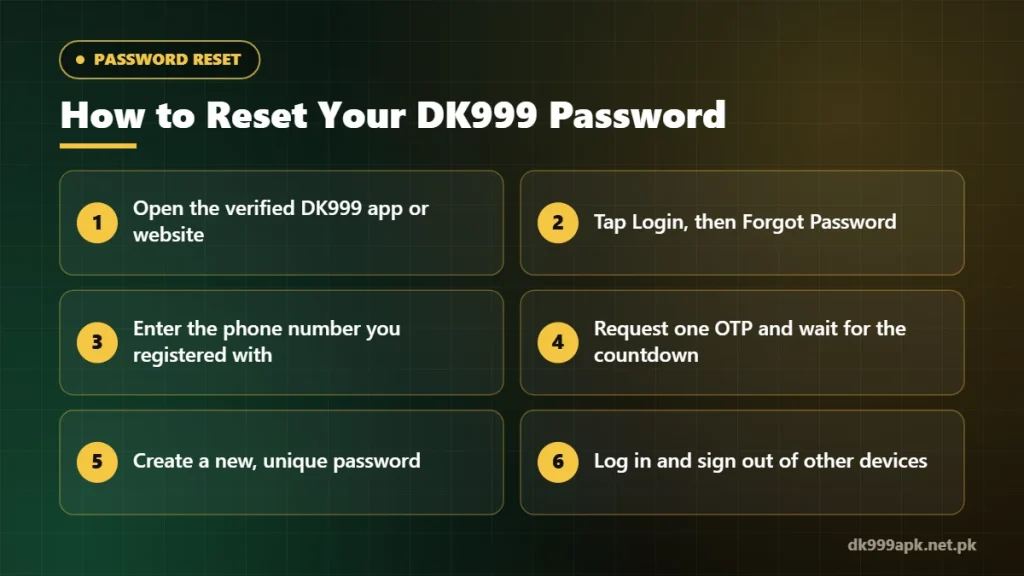
- Open the verified DK999 app or the same website you used to register.
- Tap Login, then look for Forgot Password or Reset Password.
- Enter the phone number linked to your account, in the same format you used at sign-up.
- Request one OTP and wait for the countdown before asking for another.
- Enter the code and create a new password you have never used anywhere else.
- Log in with the new password and sign out of any device you do not recognise.
If the reset option is missing, update the app first — older versions sometimes hide recovery tools. The DK999 game login guide explains the normal sign-in screen in more detail.
Before You Start: Check These Details
A reset fails more often because of small details than because of the account itself. Take a minute to confirm the following:
- The registered number: accounts are usually tied to the mobile number used at sign-up. If you have more than one SIM, think about which one you used.
- The number format: some forms expect 03XX…, others expect +92 3XX…. Follow the example shown on the screen.
- The same platform: an account created on one website address will not be found on an unrelated copy. If you are unsure, start again from the DK999 download page and the address you originally used.
- SIM access: the SIM must be in your phone with working signal so the OTP can arrive.
Step-by-Step: Resetting Your DK999 Password
1. Open the Forgot Password screen
On the login screen, tap Forgot Password (some versions say Reset or Recover). If you only see the username and password fields, look just below the Login button. Do not use a reset link that arrived through WhatsApp, Telegram or an unknown SMS — open the app yourself.
2. Enter the registered phone number
Type the number manually instead of pasting it. A hidden space or an extra zero is enough for the system to say the account does not exist.
3. Request one OTP
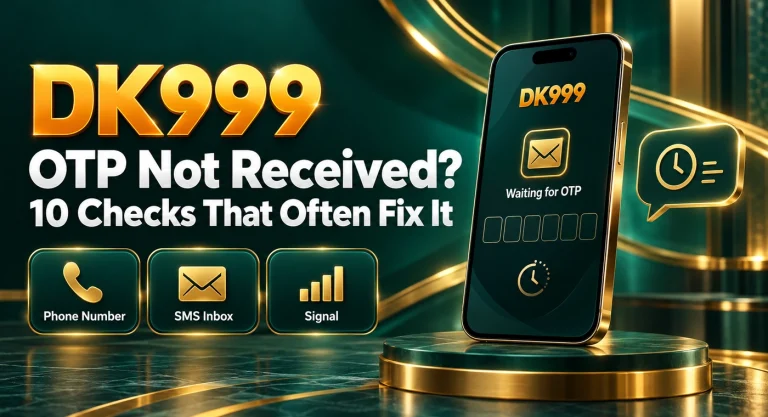
Tap Send Code once and watch the timer. Every new request can cancel the previous code, so asking three times in a row usually leaves you with three codes and only one that works — normally the newest. If nothing arrives, follow the checks in DK999 OTP not received.
4. Create a strong new password
Use at least 10 characters with a mix of letters and numbers, and avoid your name, phone number or date of birth. Most importantly, do not reuse the password from your email, JazzCash, Easypaisa or bank app. If one service leaks, a reused password puts every account at risk.
5. Log in and review active sessions
After the reset, log in once and check whether the account lists recent devices or sessions. If it offers Log out of all devices, use it — especially if you are resetting because you think someone else had access.
If You No Longer Have the Registered Number
This is the hardest situation, because the OTP goes to a SIM you cannot reach. Try these options in order:
- Recover the SIM: mobile networks in Pakistan can usually issue a duplicate SIM on the same number after biometric verification at a franchise. This is often the fastest route.
- Contact support from inside the app: explain that you lost the registered number and ask what verification they accept. Share only what is needed — never your OTP, wallet PIN or full password.
- Prepare proof of ownership: keep details such as your username, the approximate registration date and recent deposit references ready. These help support confirm the account is yours.
Avoid registering a new account to “start fresh” while the old one still holds a balance. Two accounts split your records and can break promotion rules.
Login Password vs Withdrawal Password
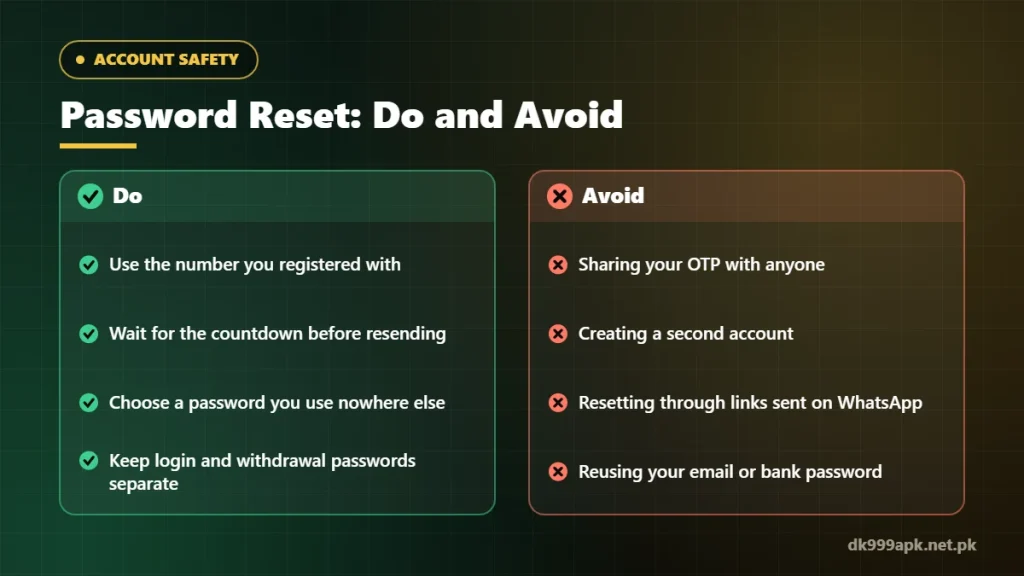
Many gaming apps use two separate passwords: one to log in and another to confirm withdrawals or wallet changes. Resetting the login password does not always change the withdrawal password. If a withdrawal is refused after a reset, check whether the app is asking for a separate withdrawal password or fund password, and look for its own reset option in the profile or security menu. For payouts in general, see the DK999 withdrawal guide.
Common Reset Problems and Fixes
| Problem | Likely cause | What to try |
|---|---|---|
| “Account not found” | Wrong number or format, or a different app/website | Re-enter the number in the format shown and confirm you are on the platform you registered with |
| OTP not arriving | Weak signal, blocked SMS or the wrong SIM on a dual-SIM phone | Wait for the timer, check the SIM slot and the blocked-messages folder |
| “Invalid code” | An older or expired OTP | Request one fresh code and enter only the newest one |
| New password rejected | It does not meet the length or character rules | Read the rules on the screen and add numbers or more characters |
| Reset option missing | Outdated app version | Update the app from the download page, then try again |
Keep the Account Safe After the Reset
- Never share your OTP, login password or withdrawal password — even with someone who says they work for support.
- Save the new password in a trusted password manager, not as a screenshot in your gallery.
- Do not stay logged in on a shared or borrowed phone.
- If the account shows activity you do not recognise, change both passwords and contact support from inside the app.
Frequently Asked Questions
Can I reset my DK999 password without an OTP?
Usually not. The OTP proves you control the registered number. If you cannot receive it, recovering the SIM or contacting in-app support are the realistic options.
Will resetting my password remove my balance?
No. A password reset changes how you sign in; it should not change your balance, bonuses or history. If something looks different afterwards, take a screenshot and contact support.
How many times can I request a reset code?
Limits depend on the platform. Repeated requests in a short time can trigger a temporary block, so let each countdown finish first.
Should I create a new account if the reset does not work?
No. A second account will not contain your old balance or records, and duplicate accounts can cause problems with promotions. Keep working on recovering the original one.
Related DK999 Guides
- DK999 Game Login – sign in and fix common problems
- DK999 OTP not received: checks that often fix it
- DK999 registration guide
- DK999 APK not installing on Android
Note: DK999APK.net.pk is an independent guide, not the official DK999 operator. Real-money gaming is for adults 18+ and carries financial risk — play only with money you can afford to lose. Read our disclaimer.

One Comment