DK999 JazzCash Deposit: Step-by-Step Guide and Safety Checks
JazzCash is one of the most common ways Pakistani users add money to apps like DK999. The process is usually quick, but small mistakes — the wrong number, a missing transaction ID or a duplicate payment — can turn it into a long support case. This guide walks through a typical DK999 JazzCash deposit and the checks that prevent most problems. Payment options and limits can change, so always follow what your own wallet screen shows.
Before You Deposit: Quick Checklist
- You are logged in to the verified DK999 app or website, not a copy. If you are unsure, see how to tell a real DK999 site from a fake.
- Your JazzCash account has enough balance, including any JazzCash charges.
- You know the minimum and maximum deposit shown in the DK999 wallet for JazzCash.
- You have decided whether you want a deposit bonus. Bonuses can lock your balance — read how DK999 bonus turnover works first.
- You have set a budget you can afford to lose.
How to Make a DK999 JazzCash Deposit
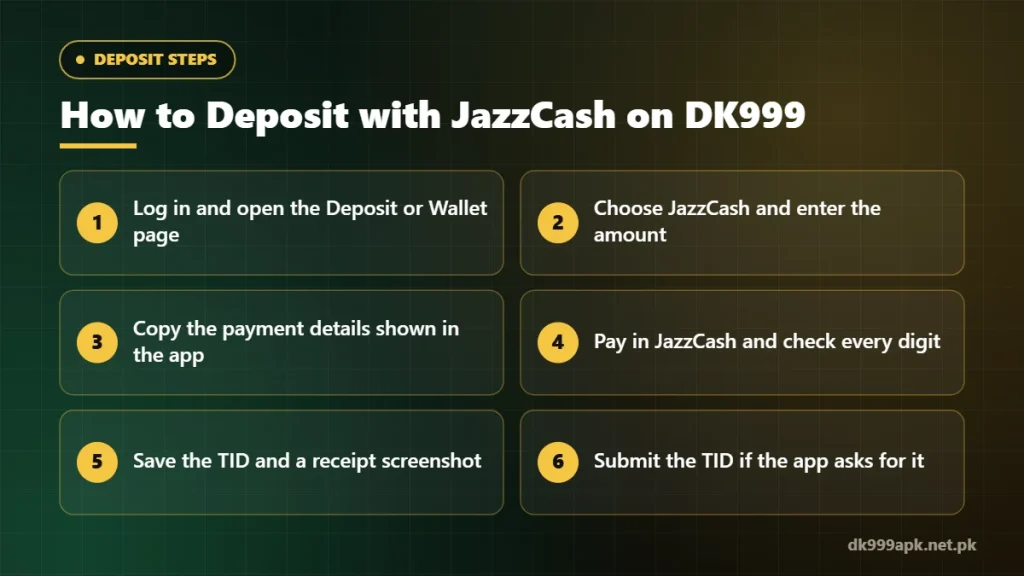
- Open the deposit page. Log in, then go to Deposit, Wallet or Add Money.
- Choose JazzCash. Select it from the payment options. If JazzCash is not listed, it may be temporarily unavailable — do not go looking for a number elsewhere.
- Enter the amount. Type an amount within the limits shown. If the screen shows an exact amount to pay, pay exactly that figure.
- Read the payment details. The app usually shows an account number, a name or a QR code, and sometimes a time limit. These details can change between deposits, so never reuse an old number.
- Pay in JazzCash. Open the JazzCash app, choose the option the deposit screen tells you to use, enter the details and confirm with your MPIN. Check every digit before confirming.
- Save the TID. After payment, JazzCash shows a Transaction ID (TID). Take a screenshot of the receipt.
- Submit proof if asked. Some deposit screens ask you to enter the TID or upload the receipt. Do this before any timer runs out.
- Wait for the balance. Check your deposit record for the status.
Why the TID and Receipt Matter
The TID is the most useful piece of evidence if anything goes wrong, because it lets support match your payment to their records. For every deposit, keep:
- The TID and the receipt screenshot.
- The amount, date and time.
- The receiver number or name shown in JazzCash.
- The status shown in your DK999 deposit history.
Common JazzCash Deposit Problems
| Problem | What it usually means | What to do |
|---|---|---|
| Money deducted, balance not added | Payment not yet matched, or TID not submitted | Check your deposit record, submit the TID if asked, then contact support with the receipt — see deposit not showing |
| “Transaction failed” in JazzCash | Low balance, a daily limit or a network issue | Check your JazzCash balance and limits, then try once more later |
| Deposit timer expired | You paid after the time limit | Do not pay again to the same details; contact support with the TID |
| Wrong amount sent | The amount differs from the one requested | Contact support straight away with the receipt |
| JazzCash option missing | The method is temporarily unavailable | Use another listed method or try later — never a number from a chat |
Safety Rules for Every Deposit
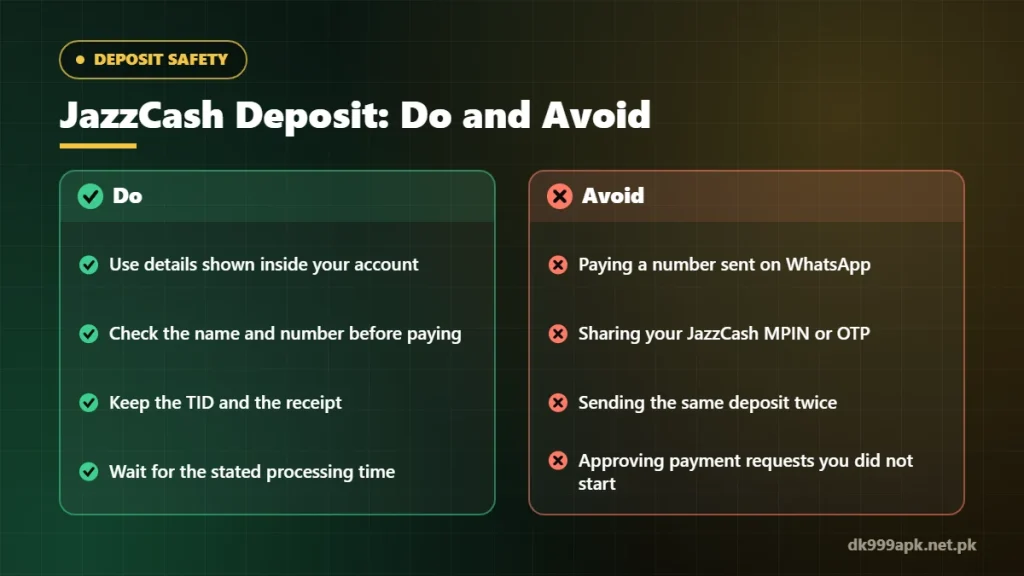
Most deposit scams do not hack anything. They simply convince people to send money to the wrong place. Keep these rules:
- Never share your MPIN or OTP. No genuine support agent needs them.
- Decline payment requests you did not start. If a payment prompt appears in JazzCash for a deposit you did not make, reject it.
- Do not use numbers from chats. Payment details sent on WhatsApp, Telegram or by phone are not reliable, even if the sender uses the DK999 name.
- Do not send a second payment because the first one has not appeared yet. Two pending payments are harder to trace than one.
How Long Does a JazzCash Deposit Take?
Many deposits appear within a few minutes, but there is no fixed guarantee. Busy periods, maintenance or manual checks can add delay. Follow the processing time shown in the app and contact support only after that time has passed, with your TID ready. Our DK999 deposit guide covers other payment methods too.
Frequently Asked Questions
Is there a fee for a DK999 JazzCash deposit?
JazzCash may apply its own charges depending on the method and your account. Any platform fee should appear on the deposit screen. Check both before confirming.
Can I deposit from someone else’s JazzCash account?
It is better to use an account in your own name. Some platforms check names during withdrawals, and payments from other people’s accounts can cause verification problems later.
What if I sent money to the wrong number?
Contact JazzCash customer support straight away with the TID. Payments to the wrong person are difficult to reverse, which is why checking the digits before confirming matters so much.
Should I take the deposit bonus?
Only if you understand the turnover rules. A bonus can lock part of your balance until its conditions are met.
Related DK999 Guides
- DK999 deposit guide
- DK999 deposit deducted but balance not showing
- DK999 bonus not withdrawable: turnover explained
- DK999 real or fake: 9 checks
Note: DK999APK.net.pk is an independent guide, not the official DK999 operator. Real-money gaming is for adults 18+ and carries financial risk — play only with money you can afford to lose. Read our disclaimer.